AI Automation Guide
AI Automation for Businesses: A Practical Guide to Smarter Workflows
AI automation helps businesses reduce repetitive work, connect tools, improve lead handling, simplify reporting, and create faster internal workflows. This guide explains what AI automation is, where it works best, and how to start using it responsibly.
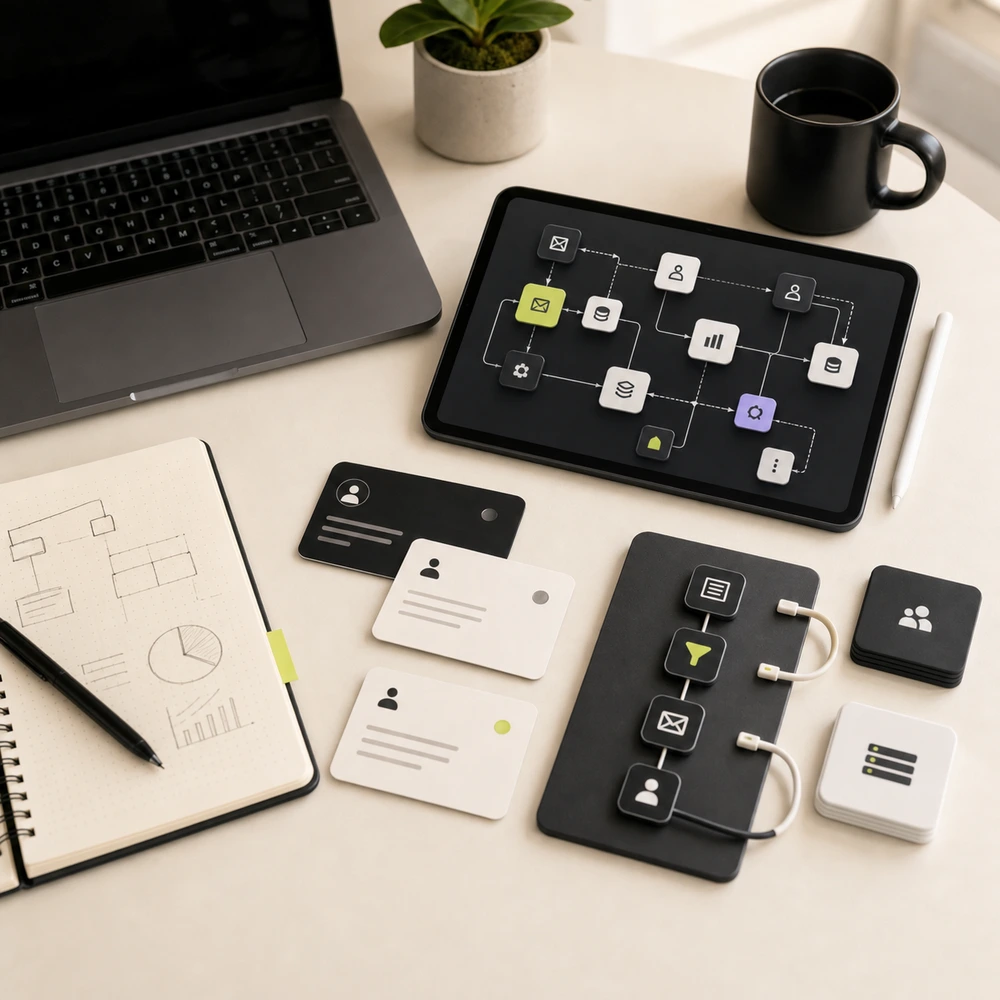
AI works best inside a clear business system
The strongest automation setups combine clean process design, reliable integrations, AI assistance, and human review.In this guide
What is AI automation?
AI automation is the use of artificial intelligence, workflow tools, integrations, and business systems to complete repetitive tasks with less manual effort. It can help move data between tools, summarize information, trigger follow-ups, organize leads, generate draft content, create reports, and support decision-making.
That definition matters because many businesses hear the term AI automation and imagine a futuristic system that runs everything on its own. In practice, the most useful setups are usually much simpler. They remove friction from everyday work, reduce small errors, and make your team faster at tasks that already matter.
AI automation is not about replacing every human task. The best systems support teams by handling repetitive steps, improving consistency, and making information easier to act on. They free people to spend more time on strategy, communication, and judgment instead of copying data, chasing updates, or building reports by hand.
AI automation connects people, tools, data, and workflows so businesses can operate faster and with fewer manual steps.
Traditional automation
Uses fixed rules such as 'when this happens, do that.' It is great for reliable task routing, status updates, form triggers, reminders, and repetitive process steps.
AI automation
Uses AI to help with tasks like summarizing, classifying, drafting, extracting, analyzing, or recommending actions when the workflow needs more than simple rules.
Best result
Combines rules, integrations, AI assistance, and human review into one practical workflow so the system stays useful, traceable, and trustworthy.
Why AI automation matters for modern businesses
Most businesses already use many digital tools: websites, forms, CRMs, calendars, emails, spreadsheets, ads, analytics, and reporting dashboards. The problem is that these tools often work separately. One team may collect leads in a form, another team may update a CRM later, and a manager may wait until the end of the week to understand what happened. That gap between tools creates manual work and slow execution.
AI automation helps by connecting these tools and reducing the repetitive work between them. If your website is part of the problem, better AI-ready web development can make lead capture, tracking, and follow-up workflows much easier to automate later.
It also makes growth systems easier to measure. When SEO, paid ads, forms, CRM data, and reporting are linked together, you stop guessing where time is being lost. That is one of the reasons AI automation is becoming a practical layer inside modern SEO and digital growth systems, not just a separate experiment.
Save time
Reduce repeated admin tasks, manual updates, copying data, and unnecessary back-and-forth so your team can focus on work that actually moves the business forward.
Improve follow-ups
Trigger reminders, alerts, CRM updates, and next steps when a lead or inquiry enters the system so fewer opportunities sit idle.
Create clearer reporting
Pull key data from marketing, website, CRM, and sales tools into easier reporting workflows so decisions are based on cleaner signals.
Support better decisions
Use AI to summarize data, identify patterns, and help teams understand what needs attention without reading through every raw input manually.
Scale operations
Build workflows that help your team handle more work without adding more manual complexity, especially as leads, clients, locations, or campaigns increase.
What AI automation can actually do
A good example is lead handling. If leads come in from a website form, a paid campaign, WhatsApp, and a calendar link, the real challenge is not just capturing them. The challenge is making sure the right person is notified, the contact record is updated, the inquiry is summarized clearly, and the next step is not forgotten.
The same idea applies to reporting, onboarding, content systems, and internal operations. AI automation works when the workflow is understandable, the data has a clear source, and the team knows who is responsible for the next action.
Capture and organize leads
Automatically collect leads from website forms, landing pages, ads, calendars, and CRMs so the information lands in one clearer system.
Route inquiries
Send the right lead to the right person, pipeline, spreadsheet, CRM stage, or follow-up workflow based on source, service, or business rules.
Summarize information
Use AI to summarize form submissions, call notes, emails, meeting notes, reports, or client updates so teams can act faster on the important points.
Draft content and responses
Create first drafts for emails, reports, briefs, social posts, SOPs, and internal notes while keeping human review in place.
Trigger tasks and reminders
Create tasks, send alerts, update statuses, and notify team members when action is needed instead of relying on memory or manual follow-up.
Build reporting workflows
Combine data from SEO, ads, analytics, CRM, and business tools into clearer dashboards, summaries, or recurring reporting workflows.
Common AI automation use cases for businesses
Lead management automation
Capture leads from forms, ads, landing pages, WhatsApp, booking tools, and CRM systems, then route them to the right workflow with cleaner tracking.
Client onboarding automation
Collect client details, create folders, generate tasks, send welcome emails, update CRM stages, and prepare onboarding documents without repeating the same setup steps manually.
Reporting automation
Create weekly or monthly reporting workflows for SEO, ads, website traffic, leads, rankings, and campaign performance so teams spend more time analyzing than compiling.
Content workflow automation
Use AI to help with topic ideas, content briefs, outlines, drafts, editing checklists, and publishing workflows while keeping editorial quality under human control.
CRM automation
Update contact records, create tasks, assign leads, trigger reminders, tag contacts, and move deals through pipeline stages with fewer gaps.
Internal operations automation
Automate repetitive approvals, reminders, file organization, SOP creation, team notifications, and recurring task workflows that slow down delivery.
Customer communication support
Create first-draft responses, follow-up reminders, inquiry summaries, and support workflows while keeping human review in place for anything important.
Healthcare inquiry workflows
Support clinic inquiry tracking, follow-ups, local SEO reporting, consultation request routing, and marketing operations through Curex Marketing.
How AI automation applies to different businesses
Business owners can use AI automation to reduce manual admin work, improve lead response speed, organize customer information, simplify reporting, and create repeatable systems for daily operations. The biggest win is usually not a dramatic AI feature. It is removing the friction that slows teams down every day.
Best workflows
- Website form to CRM
- Lead alert to team
- Follow-up reminders
- Monthly reporting
- Appointment request tracking
Agencies can use AI automation to improve client onboarding, campaign reporting, SEO workflows, content production, task handoffs, and client communication. It is especially valuable when multiple clients use similar delivery steps and the agency wants more consistent execution without adding admin overhead.
Best workflows
- Client onboarding automation
- SEO report generation
- Content brief creation
- Task creation from forms
- Monthly client update summaries
Healthcare brands can use automation to improve inquiry handling, local visibility tracking, follow-up systems, reporting, and marketing operations. These workflows should be planned carefully and should avoid collecting sensitive patient data through unsecured systems.
Best workflows
- Inquiry routing
- Local SEO reporting
- Consultation request tracking
- Review workflow planning
- Follow-up reminders
Ecommerce businesses can use automation to support order workflows, customer follow-ups, product updates, abandoned cart workflows, reporting, and marketing operations. The strongest systems connect store activity with segmentation, communication, and measurement so the team can act on trends faster.
Best workflows
- Shopify lead or order alerts
- Customer follow-up workflows
- Product content support
- Email list segmentation
- Sales reporting
Service businesses can use AI automation to manage inquiries, proposals, appointment requests, CRM updates, reminders, and follow-up workflows. This is often where AI automation has a quick operational payoff because so much of the work depends on speed, clarity, and consistency.
Best workflows
- Website inquiry to CRM
- Estimate request tracking
- Proposal follow-ups
- Client status updates
- Review request workflows
Popular tools used for AI automation
AI tools
Used for summaries, drafts, content workflows, classification, research support, and decision assistance when the workflow needs context rather than a simple rule.
Automation platforms
Used to connect apps, trigger workflows, move data, create tasks, send alerts, and automate repeated steps across tools that were not built to talk to each other directly.
Website and CMS tools
Used to capture leads, manage content, publish pages, connect forms, and support the website layer that often starts the workflow.
Analytics and reporting
Used to track performance, report results, and understand what is happening across marketing channels so teams can improve based on real data.
CRM and operations tools
Used to manage contacts, pipelines, internal documentation, tasks, scheduling, and team communication so the workflow does not stop after the first trigger.
How to start with AI automation
Choose one workflow
Start with one clear process, such as lead capture, follow-ups, reporting, onboarding, or CRM updates. Narrow scope usually leads to better testing and clearer wins.
Map the current process
Write down what happens now, who is involved, which tools are used, where delays happen, and what information is needed at each step.
Identify the bottleneck
Look for repeated manual steps, missed handoffs, slow follow-ups, duplicate data entry, or unclear reporting. That is where automation becomes useful.
Choose the right tools
Select the simplest tools needed to connect the workflow. Avoid adding tools that create more complexity than the problem you are trying to solve.
Build and test
Create the workflow, test each trigger and action, check edge cases, and make sure the output is accurate before you treat it as dependable.
Add human review
For important communication, healthcare-related workflows, client-facing content, or business decisions, keep human review in the process.
Document and improve
Document the workflow so your team knows how it works. Improve it over time based on real usage, new needs, and the data you collect after launch.
Common AI automation mistakes to avoid
Automating a broken process
If the current workflow is unclear, automation may only make the confusion faster. Fix the process before automating it.
Using too many tools
More tools do not always mean better systems. A simple connected workflow is usually better than a complicated stack with weak ownership.
No human review
AI can make mistakes. Important outputs should be reviewed, especially content, client communication, healthcare workflows, and business decisions.
Ignoring privacy and access
Be careful with personal data, client details, login access, patient information, and sensitive business information. Access rules matter as much as automation logic.
No tracking or measurement
If you do not track time saved, leads handled, tasks completed, or reporting quality, it becomes hard to judge whether the automation is working.
Expecting instant results
Good automation improves systems over time. It needs planning, testing, feedback, and refinement rather than one setup call and instant transformation.
When should you hire an AI automation consultant?
You can start simple automation on your own, especially for small tasks. But as workflows become more connected, it helps to work with someone who understands business process, tools, websites, CRM systems, SEO, reporting, and implementation. The challenge is rarely just the AI tool. The challenge is making the whole system work together.
That is where a consultant becomes useful. A good consultant helps you decide what is worth automating, what should stay manual, how the tools should connect, and how to document the workflow so your team can actually use it. If you want a hands-on implementation path, explore my AI & Automation Systems service or use the contact page if you already know where the friction is.
You may need help if:
- Your team repeats the same tasks every week
- Leads are missed or followed up too late
- Reports take too long to prepare
- Your website, CRM, forms, and marketing tools are disconnected
- You are unsure which AI tools are actually useful
- Your agency needs repeatable client workflows
- Your healthcare brand needs safer inquiry and reporting systems
What a consultant can help with:
- Workflow audit
- Automation planning
- Tool selection
- CRM and lead flow setup
- Reporting systems
- AI workflow implementation
- Documentation and team handoff
- Ongoing improvement
Need help finding the right automation opportunities?
AI automation for healthcare businesses
Healthcare businesses can benefit from automation, especially around inquiry tracking, local SEO reporting, follow-up reminders, appointment request workflows, and marketing operations. Through Curex Marketing, I work with healthcare and clinic-focused brands where trust, clarity, and responsible communication matter.
However, healthcare automation should be planned carefully. Public forms and unsecured tools should not collect sensitive patient medical information. AI should not be used to provide diagnosis, medical advice, or patient-specific recommendations without proper professional oversight. If you want a healthcare-specific breakdown, visit Healthcare AI Automation.
Patient inquiry tracking
Track where inquiries come from and how they move through the follow-up process so clinic teams can respond more consistently.
Local SEO reporting
Create clearer visibility around location rankings, traffic, calls, forms, and consultation actions without relying on disconnected reports.
Follow-up reminders
Support teams with alerts, reminders, and workflows for inquiry management while keeping human judgment in the loop.
Responsible systems
Avoid unsupported claims, unsafe data collection, and unclear patient communication workflows when planning healthcare marketing systems.
AI automation readiness checklist
- Do we know which workflow we want to automate?
- Do we understand the current process step by step?
- Which tools are involved?
- Where does the data come from?
- Where should the data go?
- Who needs to be notified?
- What should happen if the automation fails?
- Does the workflow need human approval?
- Are we handling personal or sensitive information?
- How will we measure success?
- Who will maintain the workflow after launch?
- Is documentation needed for the team?
Want this reviewed for your business?
Frequently asked questions about AI automation
AI automation uses AI tools, integrations, and workflows to reduce repetitive manual work. It can help with lead management, reporting, CRM updates, content workflows, follow-ups, internal tasks, and business operations.
No. Small businesses, agencies, clinics, ecommerce brands, and service businesses can all use AI automation. The key is starting with simple workflows that solve real problems.
Traditional automation follows fixed rules. AI automation can also help with tasks like summarizing, drafting, classifying, extracting information, or supporting decisions. The best systems often combine both.
AI automation is best used to support teams, not replace them. It can reduce repetitive tasks and help people focus on higher-value work that needs judgment, communication, and strategy.
Common tools include ChatGPT, Claude, Make, Zapier, WordPress, Shopify, Google Sheets, Google Analytics, Notion, Airtable, HubSpot, GoHighLevel, Calendly, and other CRM or workflow platforms.
Yes. It can help capture leads, route inquiries, update CRM records, send alerts, create follow-up reminders, and improve lead tracking. It does not guarantee more leads by itself.
Yes, but healthcare workflows should be planned carefully. Automation can support inquiry tracking, follow-ups, reporting, and marketing operations, but sensitive patient information should not be collected through unsecured forms or tools.
Start with a repetitive workflow that happens often, takes time, causes errors, or affects leads, reporting, or client communication. Lead handling, reporting, onboarding, and follow-ups are common starting points.
Not always. Many workflows can be built with no-code tools like Make or Zapier. Custom development may be useful when the workflow is complex or requires deeper integration.
Naman Modi helps businesses, agencies, and healthcare brands audit workflows, identify automation opportunities, choose the right tools, build AI-assisted systems, connect platforms, and document the process clearly.
 Ready to turn manual work into smarter systems?
If your business is losing time in repetitive tasks, missed follow-ups, disconnected tools, or unclear reporting, I can help you identify the right AI automation opportunities and build practical workflows that support real growth.