CRM Automation for Service Businesses: A Practical Guide
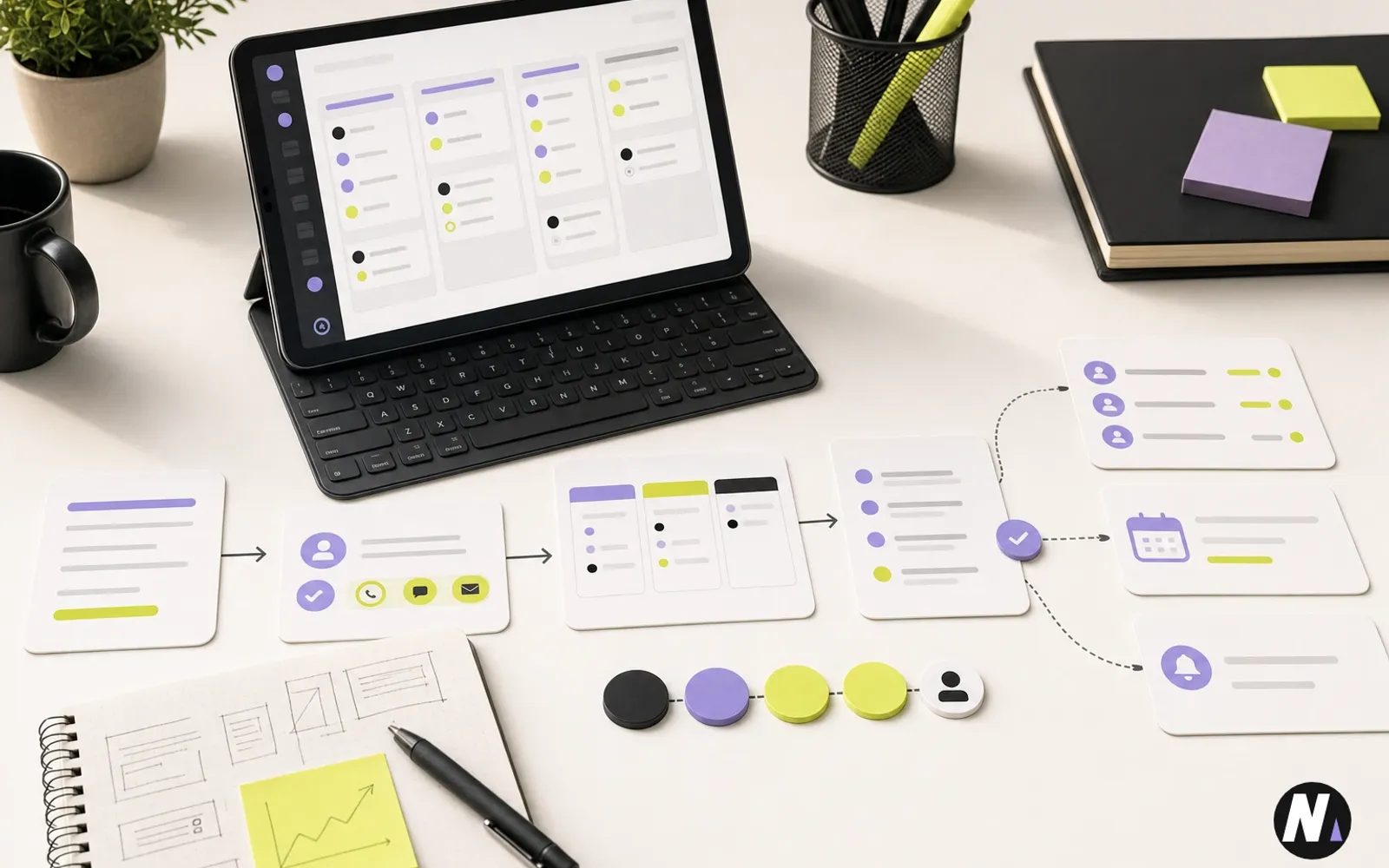
Naman Modi explains how service businesses can use CRM automation for lead capture, source tracking, owner assignment, follow-up tasks, pipeline stages, reporting, and human review.
Quick Summary
A practical CRM automation guide for service businesses covering lead capture, source tracking, routing, follow-up tasks, pipeline stages, reporting, and human review.
CRM automation should not begin with software. It should begin with the way a service business handles leads, follow-up, ownership, and reporting.
Many businesses buy a CRM because leads feel messy. But the tool alone does not fix the process. If the team does not know what should happen after an inquiry arrives, the CRM becomes another place where confusion is stored.
A practical CRM automation system should help the team capture better lead context, assign the right owner, create follow-up tasks, track source, move deals through stages, and report on what is working.
Quick Answer
CRM automation for service businesses is useful when it improves the handoff from inquiry to action.
The first version should usually automate:
- Lead capture from website forms and calls.
- Source and service-interest tracking.
- Owner assignment.
- Follow-up tasks and reminders.
- Pipeline stage updates.
- Notifications with useful context.
- Reporting on response time, source, service, and outcome.
It should not remove human judgment from pricing, scope, client communication, healthcare-sensitive language, or final decisions.
Founder Note
At eBuilderz Infotech, CRM automation work often starts after a business realizes leads are coming in, but the process after the lead is inconsistent. Some inquiries stay in email. Some are added to a spreadsheet. Some reach the CRM with missing fields. Some never get a next task.
That is an operations problem, not only a software problem.
I look at CRM automation as part of the same service system as websites, SEO, forms, reporting, and workflow automation. A website should capture the lead properly. SEO should help the right people arrive. CRM should organize the opportunity. Automation should reduce repeated admin. People should still own the relationship.
CRM Automation Map
Use this map before choosing tools or building integrations.
| Workflow area | What automation can do | What humans should still own |
|---|---|---|
| Lead capture | Create or update records from forms, calls, or imports | Decide what information is appropriate to collect |
| Source tracking | Preserve page, campaign, UTM, location, and service interest | Interpret which channels deserve investment |
| Routing | Assign owner based on service, market, priority, or client type | Override routing when judgment is needed |
| Follow-up | Create tasks, reminders, and notification summaries | Write sensitive replies and manage relationships |
| Pipeline | Move records through defined stages when rules are clear | Decide pricing, scope, fit, and final approval |
| Reporting | Summarize response time, source, service, and outcomes | Make strategic decisions from the data |
Start By Defining The Lead Process
Before automating CRM, write the lead process in plain language.
Ask:
- What starts a new lead?
- Which fields are required?
- Which service categories matter?
- Who owns each type of inquiry?
- What stages should exist?
- What should happen within the first day?
- What happens if the lead does not respond?
- What should be reported each week or month?
This step prevents the most common CRM problem: automating a process nobody understands.
Capture Better Lead Context
CRM automation works better when the first record has useful context.
A service business may need name, email, phone, company, website, service interest, message, location, preferred contact method, source page, landing page, UTM data, and timeline. A web development inquiry may need platform and project type. A CRM or ERP inquiry may need current tools and workflow pain. A healthcare inquiry should avoid unnecessary sensitive information and keep responsible communication in place.
The goal is not to ask for everything. The goal is to collect enough context for the right person to respond properly.
Assign Owners And Next Steps
Leads get missed when ownership is unclear.
A CRM automation can assign a lead based on service type, location, form type, priority, or existing relationship. It can also create the first follow-up task and set a reminder if nobody acts.
This is simple but powerful. A lead record without an owner is still a loose message. A lead record with an owner, stage, and next task becomes manageable.
Connect Website Forms And Source Tracking
Website forms are one of the easiest places to improve CRM automation.
When forms connect properly, the CRM can know which page created the inquiry, what service the person selected, what campaign brought them in, and what follow-up should happen next. This connects website work, SEO, digital marketing, and CRM operations.
For a deeper website-form workflow, see website development services and how form planning connects to the website build.
Common CRM Automation Mistakes
| Mistake | What it causes | Better approach |
|---|---|---|
| Automating before defining stages | Messy pipeline with unclear reporting | Define stages and exit criteria first |
| Capturing too many fields | Lower form completion and messy data | Ask for useful context, not every possible detail |
| No owner assignment | Leads sit untouched | Assign owner and first task automatically |
| No source tracking | Marketing cannot prove what works | Pass page, campaign, and service interest into CRM |
| Too many notifications | Team starts ignoring alerts | Send fewer, better notifications with next action |
| No human review | Risky replies, scope errors, or trust issues | Keep review for sensitive communication and decisions |
Where AI Can Help
AI can support CRM automation, but it should not become the whole strategy.
It can summarize inquiries, classify service interest, identify missing fields, prepare private CRM summaries, prepare follow-up suggestions, and help with reporting summaries. But humans should still approve sensitive replies, pricing, scope, healthcare communication, legal or financial decisions, and anything that affects trust.
AI is useful when it helps the team move faster with more context. It is not useful when it creates unreviewed authority.
A Practical First Version
The first CRM automation does not need to connect every tool in the business. It should make the most important handoff reliable.
For many service businesses, I would start with this simple version:
| Step | Automation action | Review point |
|---|---|---|
| New inquiry arrives | Create or update the CRM record | Confirm the form collected appropriate information |
| Service interest is selected | Assign the lead to the right owner or queue | Check unusual or high-value inquiries manually |
| Source data is available | Store page, campaign, UTM, and location context | Review reporting before making budget decisions |
| First task is needed | Create a follow-up task with a due date | Human owns the actual reply |
| Lead becomes qualified | Move the record to the right pipeline stage | Human confirms fit, scope, and next step |
This version is useful because it reduces missed opportunities without pretending the CRM can run the relationship by itself. Once that works, the business can add more advanced automations such as proposal handoffs, nurture sequences, reporting summaries, ERP connections, or service-specific routing rules.
Reporting Should Become Easier
A good CRM automation setup should improve reporting.
The team should be able to see:
- Which services create the most inquiries.
- Which pages or campaigns create qualified leads.
- How quickly leads receive a response.
- Which owners have open follow-up tasks.
- Which stages have bottlenecks.
- Which leads were lost and why.
This is where automation services become practical. The value is not just connecting tools. The value is making work easier to see, act on, and improve.
Healthcare And Sensitive Workflows Need Boundaries
For healthcare and clinic workflows, CRM automation needs extra care.
Through Curex Marketing, I think about healthcare lead handling as local visibility, responsible inquiry capture, timely follow-up, clear routing, and human review. The CRM can organize the inquiry, but it should not make medical claims, diagnose, promise outcomes, or replace professional judgment.
The same principle applies to legal, financial, security, or high-trust service workflows. Automation should prepare information and actions. Humans should own sensitive decisions.
Frequently Asked Questions
What is CRM automation for service businesses?
CRM automation uses rules, integrations, and sometimes AI support to capture leads, assign owners, create follow-up tasks, track source, update stages, and improve reporting.
What should a business automate first in CRM?
Start with lead capture, owner assignment, source tracking, first follow-up task creation, and response-time reporting. These steps reduce missed opportunities without removing human judgment.
Can CRM automation replace sales or account managers?
No. CRM automation should support the team by organizing records and tasks. Humans should still own relationships, strategy, pricing, scope, approval, and sensitive communication.
Does CRM automation require custom development?
Not always. Some workflows can use built-in CRM automation or no-code tools. More complex workflows may need API integrations, custom logic, or connections with websites, forms, reporting, and ERP systems.
How does CRM automation connect to SEO and websites?
CRM automation helps connect website forms, calls, landing pages, service interest, and campaign data to actual lead records, making SEO and marketing reporting more useful.
Final Takeaway
CRM automation works best when it supports a clear lead process.
Start with capture, source tracking, owner assignment, follow-up tasks, pipeline stages, reporting, and human review. Then improve the system after the team can trust the basics.
Explore Automation Services or book a free consultation to discuss where CRM automation should start in your business.

Related Insights
Continue exploring practical ideas on AI automation, websites, SEO, and smarter business systems.

Naman Modi explains what actually matters in local SEO for doctors and clinics, from Google Business Profile and service pages to reviews, tracking, follow-up, and responsible healthcare communication.
Naman Modi explains why the first workflow automation most agencies should build is a client onboarding and handoff system that turns scattered intake, access, kickoff, tasks, and reporting steps into one reliable process.
Naman Modi explains what service businesses should fix first in SEO, from service pages and local visibility to technical basics, conversion paths, tracking, and reporting.
 Let's discuss your next smarter system.