The First Workflow Automation I Would Build for Any Agency
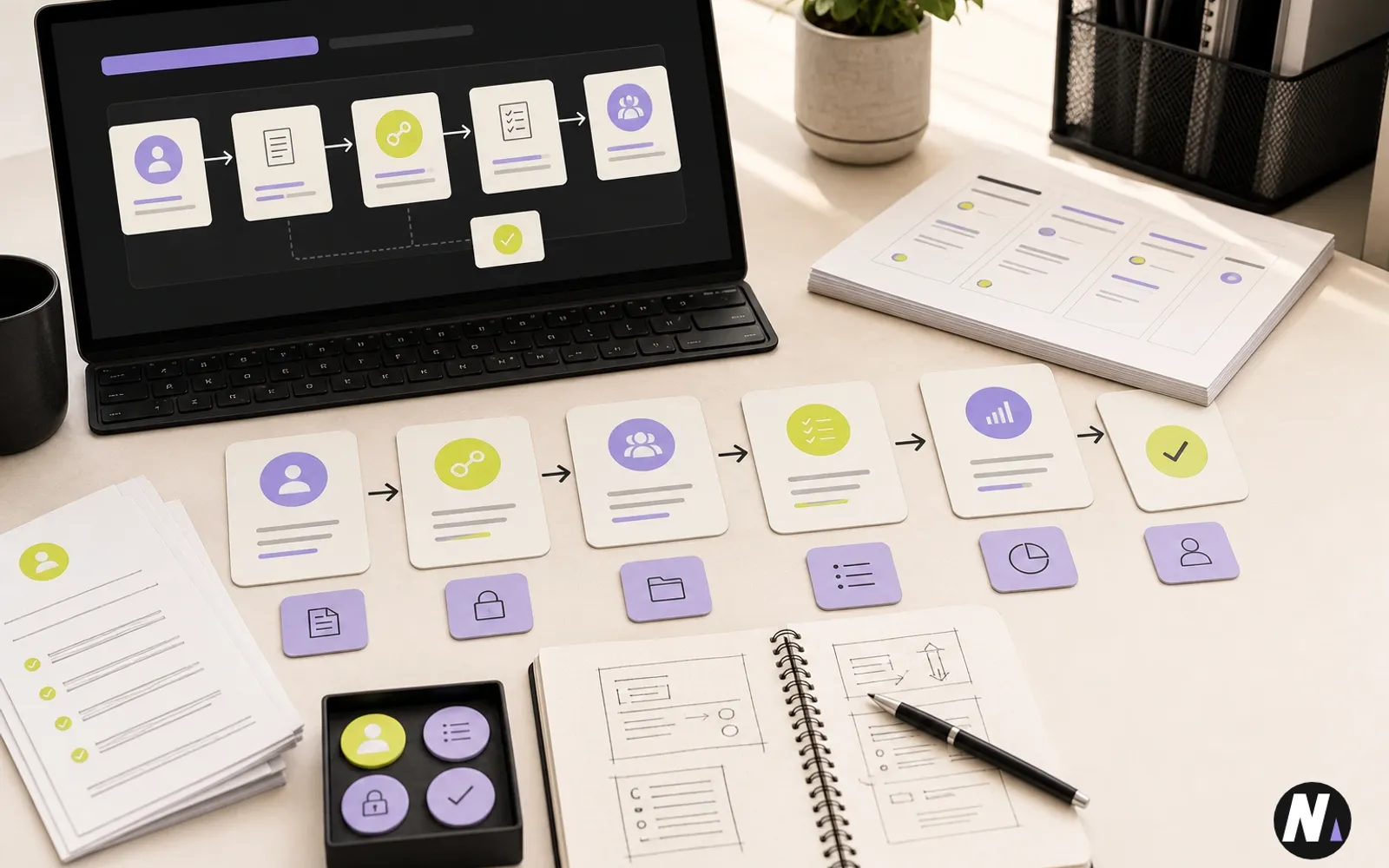
Naman Modi explains why the first workflow automation most agencies should build is a client onboarding and handoff system that turns scattered intake, access, kickoff, tasks, and reporting steps into one reliable process.
Quick Summary
A practical guide for agency founders and operations leads on building the first workflow automation around client onboarding, task handoffs, access collection, kickoff planning, and review gates.
Most agencies do not need to begin AI automation with something dramatic. They need to begin with the workflow that quietly creates the most friction every week.
For most agencies, that workflow is client onboarding and handoff.
A new client signs. Someone has to collect access. Someone has to organize discovery notes. Someone has to create folders, assign owners, prepare kickoff items, confirm services, set reporting expectations, and make sure nothing important gets lost between sales, strategy, delivery, and support.
That is the first workflow automation I would build for almost any agency.
Not because it is flashy. Because it sits close to revenue, client experience, team clarity, and delivery quality. When onboarding is messy, everything downstream becomes harder. When onboarding is structured, the entire account starts with more confidence.
Founder Note
After building and running eBuilderz Infotech, I have learned that agency growth is rarely blocked by one big missing tool. More often, it is blocked by small repeated handoffs that depend on memory, messages, and follow-up.
AI and automation can help, but only if they support the way real teams work. I do not see workflow automation as a way to remove account managers, strategists, or delivery leads. I see it as a way to give them a cleaner operating layer.
The best first automation should reduce copy-paste, catch missing information, prepare the next task, and make review easier. Humans should still own strategy, client communication, expectations, and approval.
That is why I would start with onboarding. It is repeated. It has clear inputs. It has real business value. And it gives the team a foundation for better delivery.
Why Client Onboarding Is the Right First Workflow
The first workflow should not be the most complicated process in the company. It should be a repeated process with enough structure to automate and enough impact to matter.
Client onboarding fits that perfectly.
It usually includes a familiar set of steps: signed agreement, service details, intake form, access collection, discovery notes, kickoff planning, internal assignments, first deliverables, reporting setup, and client communication.
The problem is that these steps often live across too many places. Some details are in email. Some are in a call transcript. Some are in a sales note. Some are in Slack or a task manager. Some are still in someone's head.
A good workflow automation pulls those pieces into a structured path. It does not need to make strategic decisions. It needs to make sure the right information is collected, organized, checked, and handed off.
That is where automation becomes practical.
What the First Automation Should Do
The first version should be simple enough to trust.
When a new client is marked as won or ready to onboard, the workflow should create a structured onboarding record. It should summarize the client, list the services, identify missing details, prepare an access checklist, create internal tasks, and draft the kickoff preparation notes.
If the agency sells SEO, website work, paid ads, CRM setup, AI automation, or healthcare marketing, the onboarding checklist should adapt to the service type. A website project may need hosting, domain, brand assets, sitemap, content, and analytics access. An SEO project may need Google Search Console, Google Analytics, location details, target services, competitors, and current ranking notes. An automation project may need tool access, process notes, sample inputs, sample outputs, and approval rules.
The workflow does not have to send everything automatically. In fact, it should not do that at first. The first goal is to prepare the handoff so the account manager or project lead can review it quickly.
Agency Onboarding Workflow Map
Before building the automation, map the handoff from signed client to kickoff-ready package.
| Stage | Automation should prepare | Human should review |
|---|---|---|
| Intake cleanup | Client summary, service package, stakeholders, goals, and missing fields | Whether the summary matches what was sold |
| Access collection | Service-specific access checklist and client request draft | Security, tone, and whether access is actually needed |
| Kickoff preparation | Brief, risks, open questions, and first priorities | Strategy, expectations, and client-facing language |
| Task handoff | Owner, due date, priority, and task context | Scope, sequencing, and team capacity |
| Reporting setup | Metrics, dashboards, and first reporting expectations | What the client should see and when |
| Approval | Review-ready package and flagged gaps | Final client communication and delivery readiness |
This table keeps the workflow practical. Automation prepares the package. People approve the parts that affect client trust.
The Core Stages
I would break the first agency workflow automation into six stages.
1. Intake Cleanup
The workflow starts by collecting what the agency already knows. This may include the proposal, sales notes, intake form, call summary, service package, website URL, location, goals, timelines, and stakeholders.
The AI step should summarize the client in plain language and flag missing information. This is useful because the first hidden cost in onboarding is not setup work. It is chasing details that should have been captured earlier.
A good intake cleanup step should answer:
- Who is the client?
- What did they buy?
- What problem are we solving?
- Who approves work?
- What access is missing?
- What deadline or launch date matters?
- What should the delivery team know before kickoff?
This creates a cleaner starting point for everyone.
2. Access Collection
Access collection is one of the easiest places for agencies to lose time. Every service has its own access needs, and every missing login slows the team down.
The automation should generate an access checklist based on the service package. It can prepare the client-facing request, but a human should review it before sending.
For example, the workflow may request CMS access, hosting access, domain access, analytics access, ad account access, CRM access, brand files, content files, or location profile access. The point is not to ask for everything. The point is to ask for the right things and make missing access visible.
This connects directly to a stronger client onboarding automation workflow, where each access request becomes part of the operating checklist instead of another loose message.
3. Kickoff Preparation
A kickoff call should not begin with the team trying to understand the project for the first time.
The workflow should prepare a kickoff brief before the meeting. That brief can include the client summary, goals, services, known risks, open questions, proposed next steps, first 30-day priorities, and anything the strategist needs to confirm.
This is where workflow automation supports better human conversations. The AI is not replacing the kickoff. It is making the kickoff sharper.
4. Task Handoff
Once the kickoff brief is ready, the workflow should create internal tasks. These tasks should have owners, due dates, priority, and enough context for the person receiving the work.
A weak task says, create SEO plan. A useful task says, review intake summary, confirm top services, check current rankings, identify technical blockers, prepare first 30-day SEO action plan, and flag missing Google Search Console access.
That difference matters. Better task handoffs reduce clarification loops and help delivery teams start faster.
5. Reporting Setup
Reporting should not be an afterthought. During onboarding, the agency should decide what will be measured and how the client will see progress.
The automation can prepare a reporting setup checklist based on the service. For SEO, that may include traffic, rankings, conversions, local visibility, technical fixes, and content progress. For website projects, it may include launch checklist, form testing, analytics, speed checks, and conversion paths. For automation projects, it may include workflow runs, time saved, error rates, review status, and handoff completion.
This helps the team set expectations early.
6. Human Approval
The final stage is review.
Before anything client-facing is sent, a human should check the access request, kickoff notes, task assignments, and client communication. This is especially important for service scope, pricing expectations, healthcare language, legal claims, security access, and anything that could affect the relationship.
Human review does not make the workflow weaker. It makes it usable.
Where AI Agents Fit
An AI workforce is helpful here because onboarding has multiple roles.
One agent can summarize intake. Another can identify missing information. Another can create the access checklist. Another can prepare the kickoff brief. Another can create task manager fields. Another can check the output against the agency's quality standards.
That is better than asking one giant prompt to do everything. When roles are separated, the workflow is easier to inspect and improve.
This is the same reason I recommend thinking in systems when planning AI automation for businesses. The model matters, but the workflow design matters more.
What Not to Automate First
I would not start by letting AI send client emails automatically. I would not start by allowing AI to make scope decisions. I would not let AI promise timelines, approve budgets, handle clinical questions, or make decisions that require leadership judgment.
The first workflow should prepare work, not take over authority.
This keeps risk low while still saving time. The team gets cleaner notes, cleaner checklists, cleaner tasks, and cleaner handoffs. The client still gets communication reviewed by a real person.
A Practical First Version
If I were building this for an agency in week one, I would keep the first version narrow.
The input would be a new client intake form plus sales notes. The output would be an internal onboarding package with five sections: client summary, missing information, access checklist, kickoff brief, and task list.
The workflow would then create or update the task manager item and mark it as ready for human review.
That is enough to create value. The agency does not need a perfect autonomous system on day one. It needs a reliable handoff that saves time and catches gaps.
Once that is working, the second version can connect more tools. It can pull from CRM fields, read call transcripts, check website basics, create project folders, prepare reporting templates, and route tasks to the right team members.
How to Measure Whether It Works
Do not measure the first workflow only by whether it feels impressive. Measure whether it improves operations.
Useful metrics include:
- Time from signed client to kickoff-ready package.
- Number of missing access items caught before kickoff.
- Number of internal clarification messages reduced.
- Time saved by account managers or project leads.
- Percentage of onboarding tasks created with complete context.
- Number of client-facing items requiring major edits.
- Whether the first 30 days of delivery start more smoothly.
These numbers matter because workflow automation should create consistency, not just content.
Common Mistakes
The first mistake is automating a broken process without clarifying it. If nobody can explain what good onboarding looks like, AI will not magically fix that. It will only move confusion faster.
The second mistake is overbuilding. Agencies often try to connect every tool at once. Start with the smallest workflow that creates a useful review-ready package.
The third mistake is removing human approval too early. Automation should earn trust through repeated successful runs.
The fourth mistake is treating every client the same. A local SEO client, a healthcare clinic, a website redesign client, and an AI automation client may need different onboarding checklists. The workflow should adapt based on service type.
Common Mistakes Table
| Mistake | Why it hurts | Better approach |
|---|---|---|
| Automating before clarifying onboarding | Confusion moves faster instead of getting fixed | Define the ideal handoff first |
| Sending client emails automatically too early | Trust risk goes up before the workflow is proven | Keep client-facing messages human-approved |
| Treating every service the same | SEO, website, CRM, and healthcare clients need different access and kickoff needs | Adapt checklists by service type |
| Creating vague tasks | Delivery teams still need clarification | Add owner, due date, context, and acceptance criteria |
| Measuring only time saved | Quality and client experience may still suffer | Track missing access, revision loops, kickoff readiness, and first-month delivery quality |
How This Connects to AI Automation Services
For me, the value of AI automation consultant service work is not only building agents. It is helping a business choose the right workflow, define the review gates, connect the right tools, and make the output useful inside daily operations.
Agency onboarding is a strong first workflow because it can connect strategy, operations, task management, client communication, and reporting.
If a team wants to find the right starting point, the AI automation audit checklist for service businesses is a useful way to identify repeated tasks that are structured enough to automate.
Frequently Asked Questions
What is workflow automation for agencies?
Workflow automation for agencies is the process of turning repeated operational steps, such as onboarding, access collection, task handoffs, reporting, and approvals, into a structured system that reduces manual follow-up.
What is the first workflow an agency should automate?
For most agencies, the first workflow should be client onboarding and handoff because it is repeated, high-impact, and connected to client experience, delivery quality, task clarity, and reporting expectations.
Can workflow automation replace account managers?
No. Workflow automation should support account managers by preparing summaries, checklists, tasks, and handoffs. Humans should still own client communication, strategy, approval, and relationship management.
What tools are needed for agency workflow automation?
The tools depend on the agency, but common pieces include intake forms, CRM, task manager, shared documents, CMS, reporting tools, and AI agents or automation platforms that can connect these steps.
How should agencies keep human review in automated workflows?
Agencies should add review gates before client-facing messages, scope decisions, access requests, public content, financial actions, healthcare-related communication, and anything that affects client trust or delivery risk.
Final Takeaway
The first workflow automation I would build for an agency is not a flashy AI demo. It is a client onboarding and handoff system that turns scattered information into a clear operating path.
Start with intake cleanup, access collection, kickoff preparation, task handoff, reporting setup, and human approval. Keep the first version small. Make it useful. Then improve it after real runs.
If your agency is still managing onboarding through scattered forms, emails, chats, and memory, that is probably the right place to begin.
Explore AI Automation Services or book a free consultation to discuss what workflow your team should automate first.

Related Insights
Continue exploring practical ideas on AI automation, websites, SEO, and smarter business systems.

Naman Modi explains what actually matters in local SEO for doctors and clinics, from Google Business Profile and service pages to reviews, tracking, follow-up, and responsible healthcare communication.
Naman Modi explains how service businesses can use CRM automation for lead capture, source tracking, owner assignment, follow-up tasks, pipeline stages, reporting, and human review.
Naman Modi explains what service businesses should fix first in SEO, from service pages and local visibility to technical basics, conversion paths, tracking, and reporting.

 Let's discuss your next smarter system.